Home / For brokers
Qatar's smart workspace for brokers
From the first photo to the signed lease.
Get verified Open your workspace
Free for verified brokers. No credits, no limits.
Your company is already here
We compare listings from Qatar's property sites every night, so your homes are probably on QatarScanner already. Type your company name.
Everything in one place
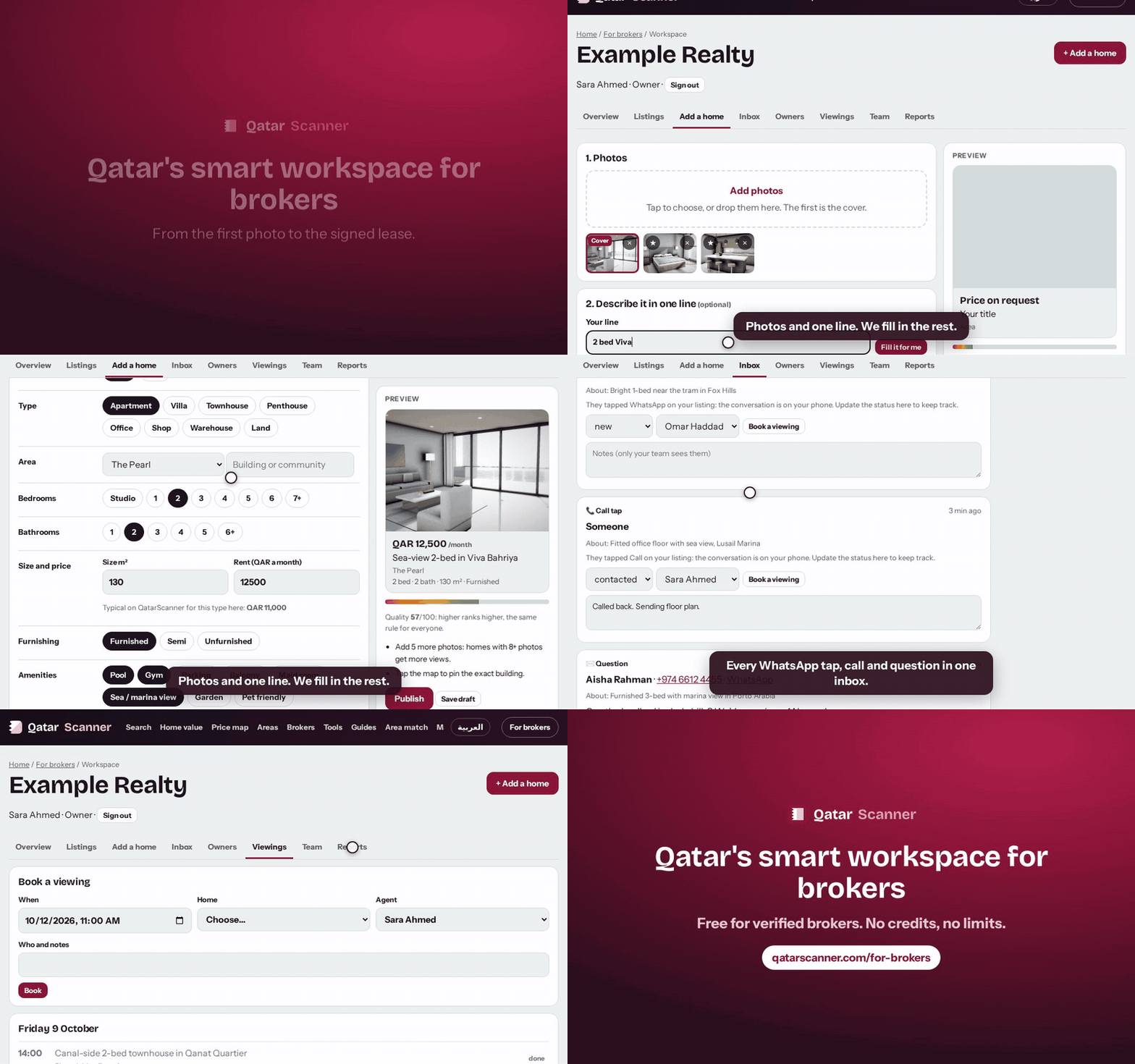
Drop your photos and type one line, like “2 bed Viva Bahriya 12,000 furnished”. We fill in the rest and show a live preview.
Have your homes in Excel? Upload the file. We match your columns for you, then publish in one go.
WhatsApp taps, calls and questions on your homes land in one list. Assign them, add notes, track each one to the deal.
Keep owners private to your team, link their homes and get a reminder 60 days before each lease ends.
Book a viewing from an enquiry, add it to your phone calendar, and get a short list every morning.
Each agent signs in with their own email. Their phone and WhatsApp show on the homes they list.
Views, clicks, enquiries, viewings and deals, for the company and for each agent. Download or print.
A verified badge, pages for each agent, and your listings from other sites shown with your own photos.
How it compares
| QatarScanner | Typical portals | |
|---|---|---|
| Cost to list | Nothing for verified brokers | Paid per listing or by credits |
| How many homes | No limit | Set by your package |
| Who ranks first | The same quality score for everyone | Paid boosts move listings up |
| Enquiries inbox | Included | Included |
| Owners and lease reminders | Included | Usually a separate CRM |
| Viewings calendar | Included | Usually a separate CRM |
| Upload from Excel | Included, columns matched for you | Usually an XML feed |
| Agent accounts | Included, no seat fees | Often charged per seat |
| Your homes on other sites | Shown too, with your photos | Only what you post there |
“Typical portals” describes common practice in the market, not any one company. Check each portal's current terms.
Three steps
- Confirm your company emailWe email you a 6-digit code. Companies use an email at their own website's domain.
- Open your workspaceSign in at qatarscanner.com/broker with the same email. Add your agents.
- List your first homePhotos and one line. It goes live within minutes.
Get verified
Two minutes. The rest can wait.
Questions
What does it cost?
Nothing for verified brokers: listing, the workspace, agents and reports. If we ever add paid extras, such as a featured slot, they will be optional, and everything here stays as it is.
Who can get verified?
Licensed brokerages, developers and individual licensed brokers in Qatar. Companies confirm an email at their own website's domain, so only real staff can verify.
Do my homes on other sites show too?
Yes. Once you are verified, the listings of yours we find online, on other portals, your website or your feed, show with your own photos, credited to you and linked to your original advert. You can stop this at any time.
Do I need a CRM?
No. The workspace is a simple CRM: listings, enquiries, owners, viewings, team and reports. If you already use one, send us its XML feed and we read it every night.
How do listings rank?
By the same quality score for everyone: photos, size, a clear title and description, the map pin and complete details. Nobody can pay to move up.
How long does a listing stay live?
30 days. Renew with one tap. We remind you 3 days before it ends, so old homes don't linger.
Who sees owners' details and notes?
Only your team. Owners, unit numbers and notes are never shown on the site.
Can I leave?
Yes, at any time. Ask us and we remove your profile, listings and workspace data.