QatarScanner العربيةFor brokers

Home / For brokers / Help / Add your agents

All guides

Add your agents

The company owner adds agents. Each agent signs in with their own email, and their phone and WhatsApp show on the homes they list.
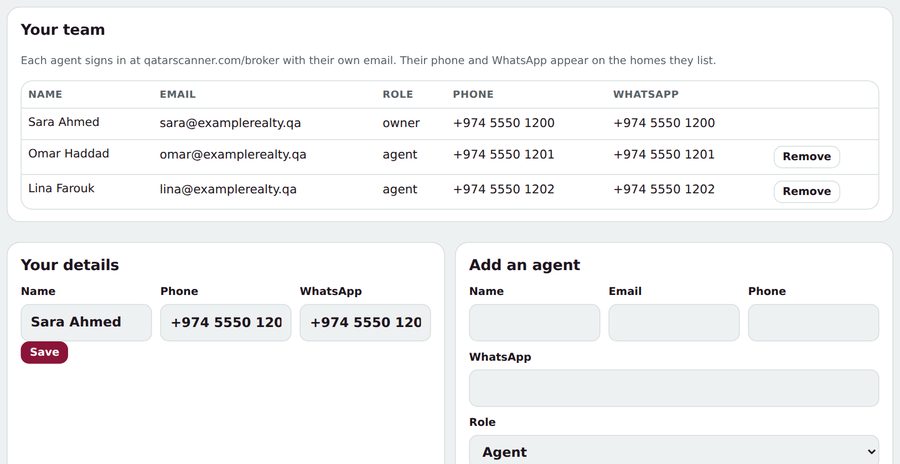
  1. Open Team.
  2. Under Add an agent, type their name, email, phone and WhatsApp.
  3. Tap Add and email them. They get an email with the link.

Tip: Agents can use any email, even Gmail: being on your team is what gives access.

Was this helpful? No, I still need help

Related guides

Ask us anything

Type your question in your own words. Our assistant answers from these guides; if that doesn't solve it, send it to our team.

Answers in secondsA person within one working dayA reference number for every question