Upload homes from Excel
Have your homes in a spreadsheet? Upload it and publish them in one go.
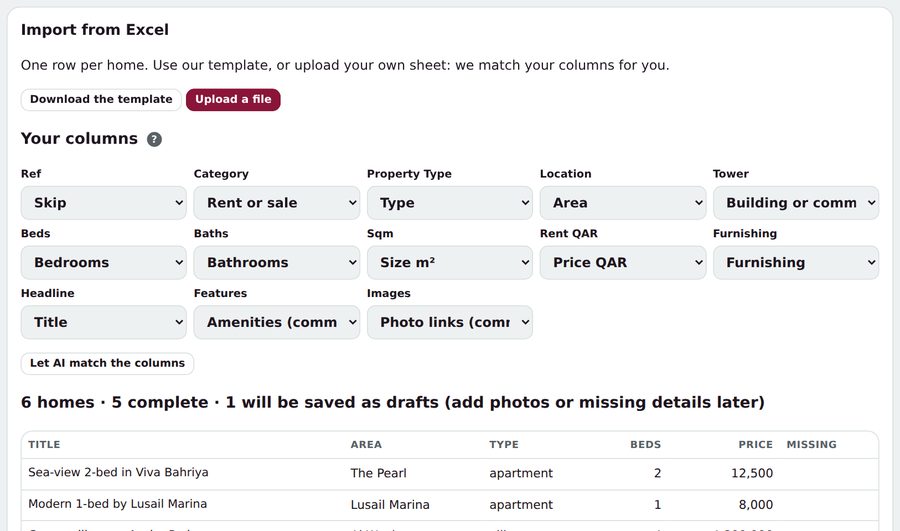
- Open Listings and tap Import from Excel.
- Use our template, or upload your own .xlsx or .csv file.
- Check how your columns are matched. Change any match, or tap Let AI match the columns.
- Tap Import. Complete homes go live; the rest are saved as drafts for you to finish.
Tip: Photo links in the sheet are checked for people first and appear once they pass, usually within 15 minutes.