Add a home in a minute
Photos first, then one line. We fill in what we can and show you a live preview.
- Tap + Add a home.
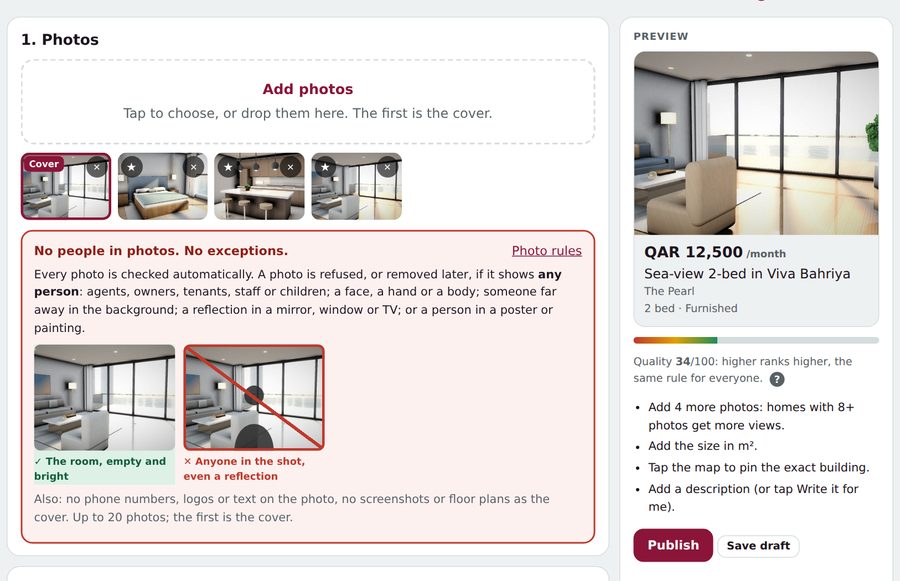
- Add at least 3 photos (up to 20). The first is the cover; tap ★ on another photo to make it the cover.
- Type one line, like 2 bed Viva Bahriya 12,000 furnished sea view, and tap Fill it for me.
- Check the details, add a title and a description (or tap Write it for me).
- Tap Publish. The home appears on QatarScanner within minutes, for 30 days.
Tip: Not ready? Save draft and finish later from Listings → Drafts.