Get verified
Verification proves you are a real Qatar brokerage. It takes about two minutes and is checked automatically.
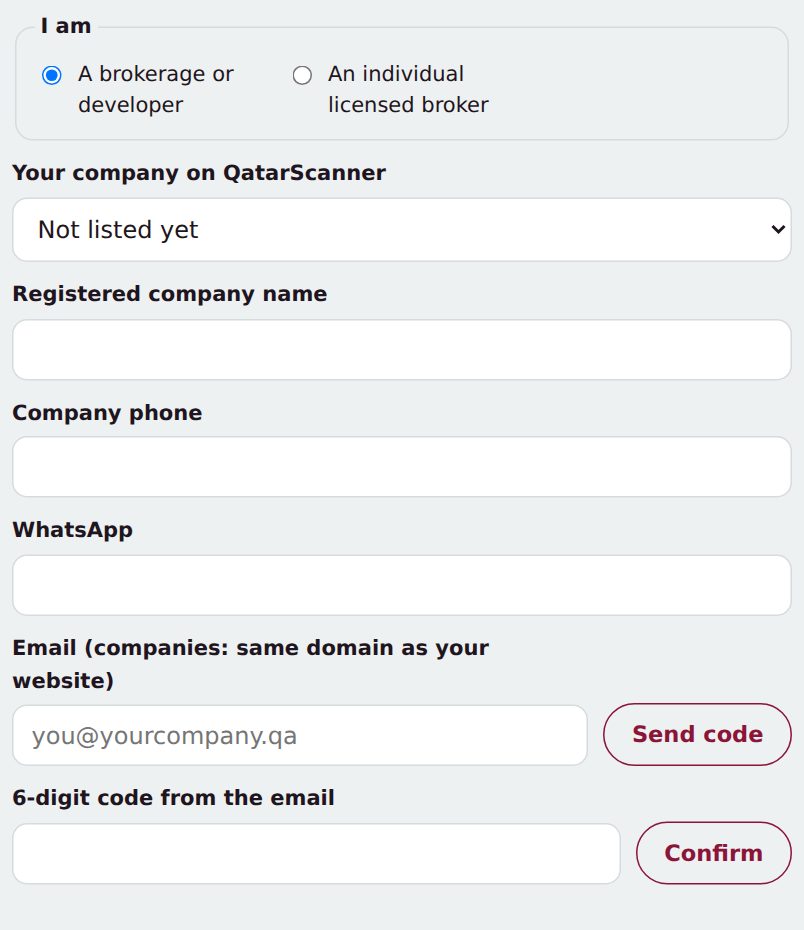
- Open For brokers and tap Get verified.
- Pick your company if it is already listed, then add your company name and phone.
- Type your company email and tap Send code. Companies use an email at their own website's domain, for example you@yourcompany.qa.
- Enter the 6-digit code from the email, tick the terms and tap Send for verification.
- Your verified profile goes live with the next nightly update. If a check fails, we email you the reason so you can fix it and send again.
Tip: Individual licensed brokers can verify with any email they own.