QatarScanner العربيةFor brokers

Home / For brokers / Help / Book and manage viewings

All guides

Book and manage viewings

A simple calendar for your team, with a short list in your email every morning.
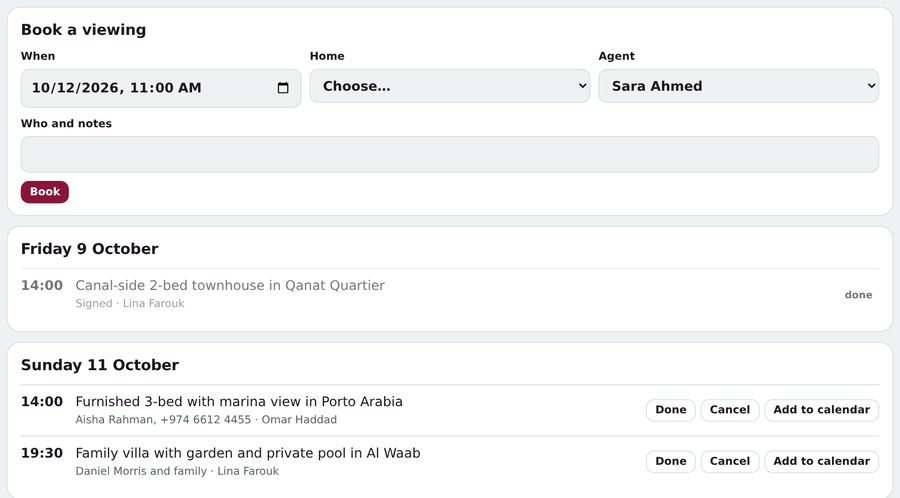
  1. From an enquiry, tap Book a viewing, or open Viewings.
  2. Choose the date and time, the home and the agent, then tap Book.
  3. Tap Add to calendar to put it in your phone's calendar.
  4. Mark it Done or Cancel afterwards: it counts in your reports.
Was this helpful? No, I still need help

Related guides

Ask us anything

Type your question in your own words. Our assistant answers from these guides; if that doesn't solve it, send it to our team.

Answers in secondsA person within one working dayA reference number for every question