QatarScanner العربيةFor brokers

Home / For brokers / Help / The enquiries inbox

All guides

The enquiries inbox

Every WhatsApp tap, call tap and question on your direct homes lands in one list, so nothing is missed.
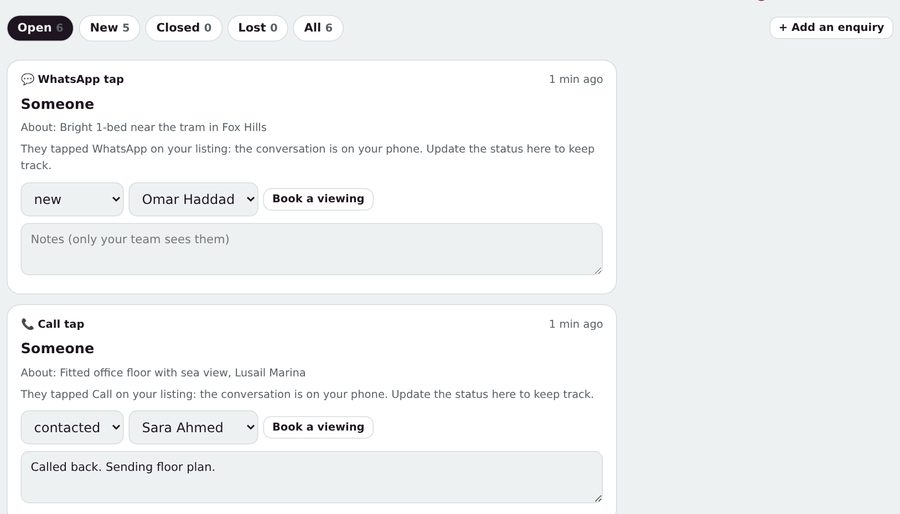
  1. Open Inbox. New enquiries have a red count on the tab.
  2. Change the status as you go: new, contacted, viewing, closed or lost.
  3. Assign it to an agent, add notes only your team sees, or tap Book a viewing.
  4. Got an enquiry by phone or walk-in? Tap + Add an enquiry.
Was this helpful? No, I still need help

Related guides

Ask us anything

Type your question in your own words. Our assistant answers from these guides; if that doesn't solve it, send it to our team.

Answers in secondsA person within one working dayA reference number for every question